 Workflow Guardrails for Jira
Overview
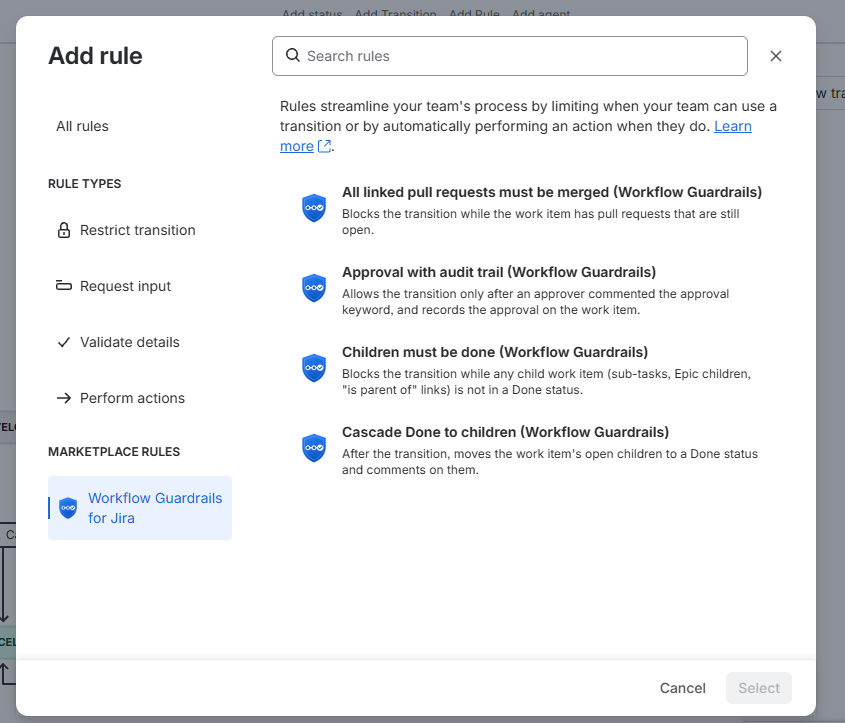
Workflow Guardrails for Jira adds four rules that Jira administrators attach to any workflow transition. They keep parent and child work items consistent, make sure code is merged before work is closed, and require a recorded approval where your process needs one. Everything is configured on the transition itself, in the workflow editor. The app is free.
Key Features
Children Must Be Done
Blocks a transition while sub-tasks, Epic children or "is parent of" linked work items are still open.
Pull Requests Merged
Blocks a transition while the work item has open pull requests.
Approval With Audit Trail
Requires an approver's keyword comment and records who approved and when.
Cascade Done
Closing a parent moves its open children to Done, with a comment explaining why.
Getting Started
- Install Workflow Guardrails for Jira from the Atlassian Marketplace.
- Go to Jira settings > Work items > Workflows and edit a workflow.
- Select a transition, open Rules and click Add rule.
- Pick one of the rules ending in (Workflow Guardrails), adjust its options and save. The rule list shows a one-line summary of what it checks.
- Publish the workflow.
Note: Configuring these rules requires Jira's new workflow editor. The app works as its own user ("Workflow Guardrails"), so it can see every child work item regardless of who moves the parent. Default permission schemes already give it what it needs.
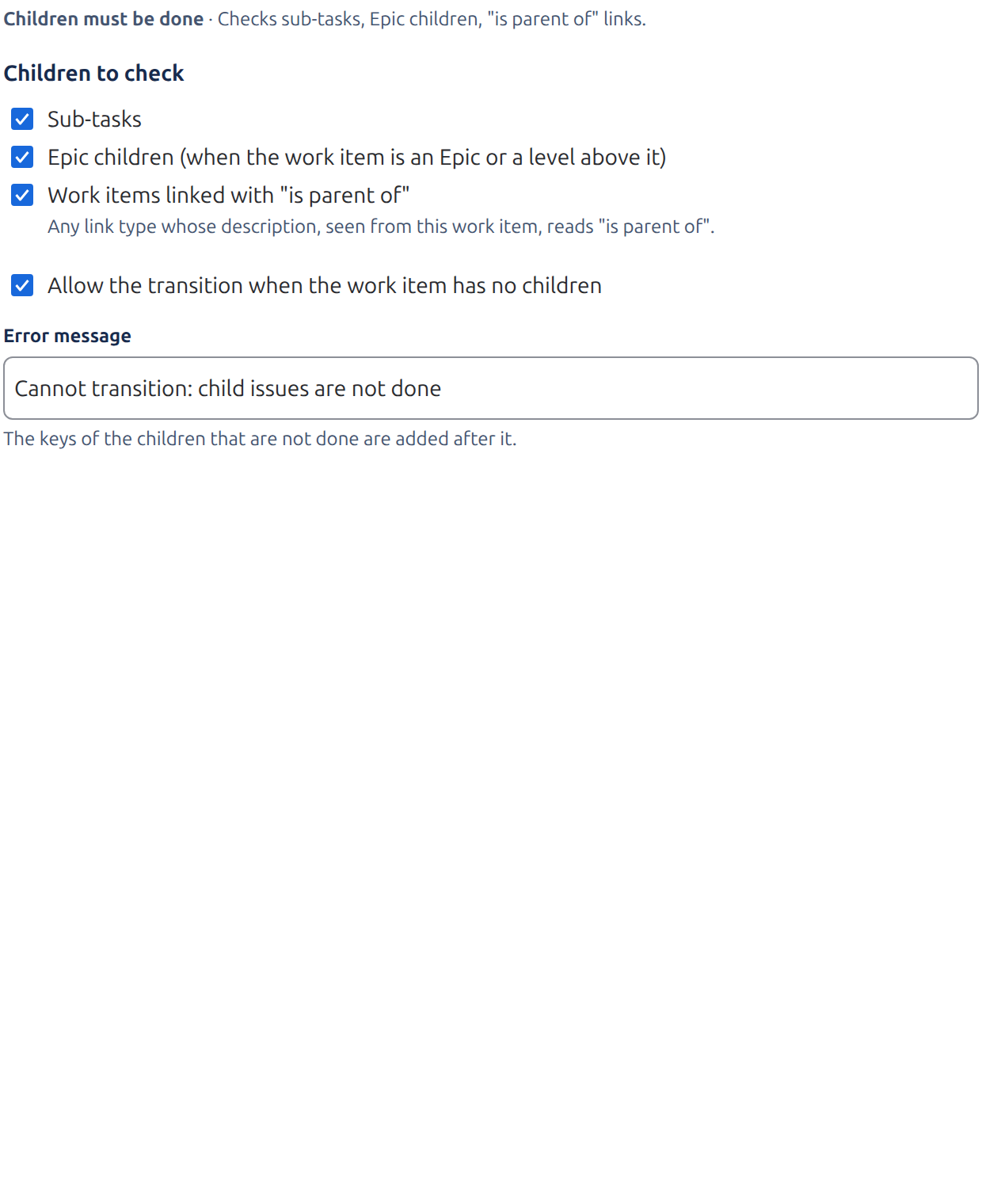
Children Must Be Done (validator)
Blocks a work item from moving while any of its children is not in a Done status (any status in the Done category: Done, Closed, Cancelled…). The message lists the open children.
| Option | Default |
|---|---|
| Allow the transition when the work item has no children | On |
| Sub-tasks | On |
| Epic children (when the work item is an Epic or a level above it) | On |
| Work items linked with "is parent of" | On |
| Error message | Cannot transition: child issues are not done |
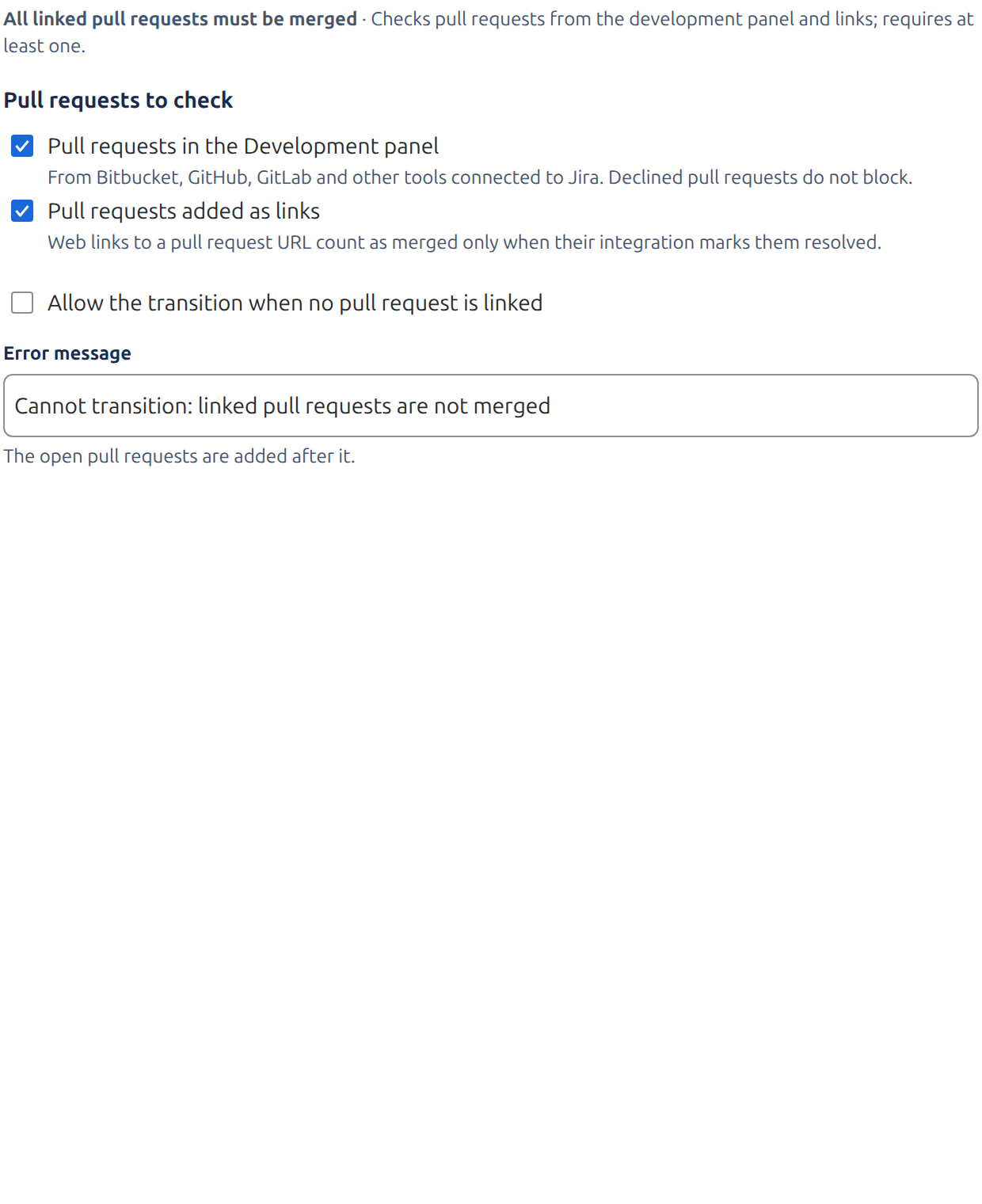
All Linked Pull Requests Must Be Merged (validator)
Blocks a work item from moving while it has pull requests that are still open.
| Option | Default |
|---|---|
| Allow the transition when no pull request is linked | On |
| Pull requests in the Development panel | On |
| Pull requests added as links | Off |
| Error message | Cannot transition: linked pull requests are not merged |
- Development panel: pull requests from Bitbucket, GitHub, GitLab and other tools connected to Jira. The message says how many are open (Jira does not share individual pull request titles with apps).
- Links: web links to a pull request on GitHub, GitLab, Bitbucket or Azure DevOps, listed by title. A link counts as merged only when its integration marked it resolved.
- Declined pull requests never block.
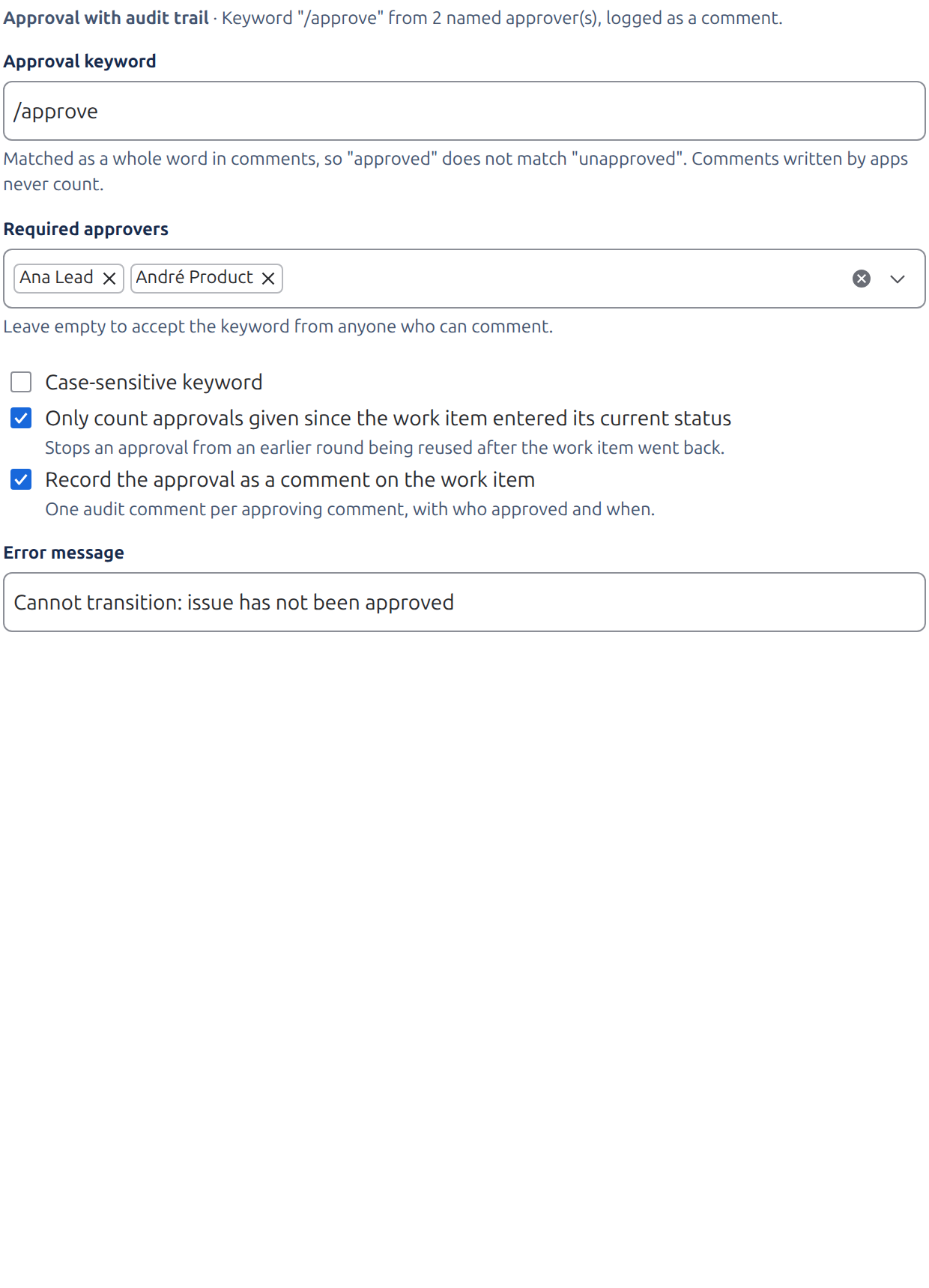
Approval With Audit Trail (validator)
Allows the transition only after an approver commented the approval keyword on the work item.
| Option | Default |
|---|---|
| Approval keyword | approved |
| Required approvers (empty = anyone) | Empty |
| Case-sensitive keyword | Off |
| Only count approvals given since the work item entered its current status | Off |
| Record the approval as a comment on the work item | On |
| Error message | Cannot transition: issue has not been approved |
- The keyword must be a whole word: "approved" does not match "unapproved". Keywords like
/approveorLGTM!work. - When approvers are named, the error message tells people who to ask.
- The audit comment records who approved and when, once per approval. Comments written by apps never count as approvals.
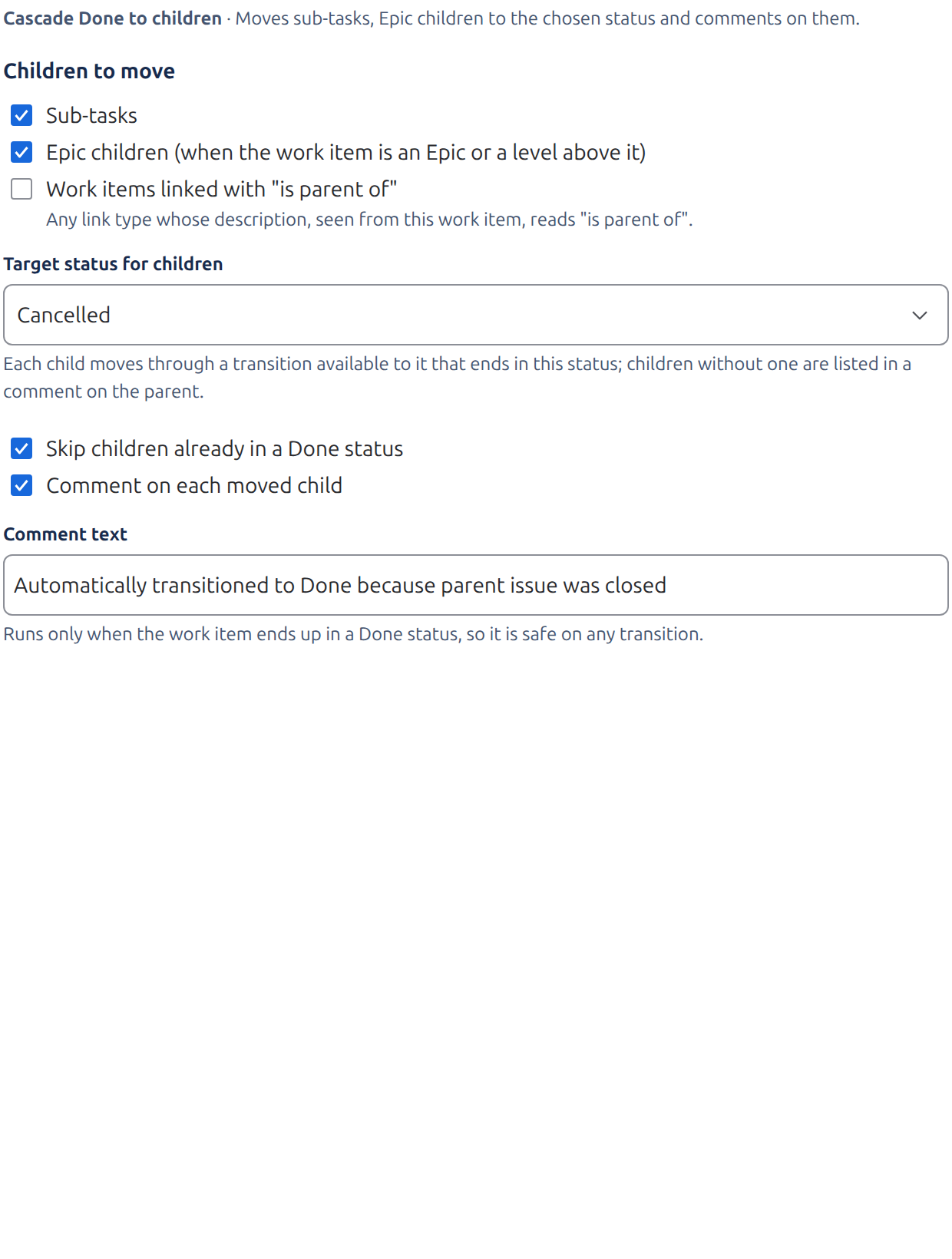
Cascade Done To Children (post function)
After the work item reaches a Done status, its open children move to Done too.
| Option | Default |
|---|---|
| Sub-tasks | On |
| Epic children | On |
| Work items linked with "is parent of" | Off |
| Target status for children | Any Done status ("Done" preferred) |
| Skip children already in a Done status | On |
| Comment on each moved child | On |
| Comment text | Automatically transitioned to Done because parent issue was closed |
- It only acts when the work item really ended up in a Done status, so it is safe on any transition.
- Children that cannot be moved (for example a transition screen with required fields) are left as they are and listed in a comment on the parent.
- Add it to the closing transition of each level (Epic and Story) to cascade through a whole hierarchy.
Troubleshooting & Limitations
- I cannot configure the rule after adding it.
- Configuration screens for app rules require Jira's new workflow editor.
- A child that was just closed still blocks the parent.
- The rule re-reads every child's current status, so this should not happen. If it does, check whether the child's status is really in the Done category.
- Cascade Done did not move a child.
- Look for the comment on the parent: it lists each child that could not be moved and why. Usually the child's workflow has no transition to the target status from its current status, or the transition screen requires fields.
- Pull requests are not detected.
- Development panel pull requests need your Git tool's Jira integration. Pasted links are only checked when "Pull requests added as links" is on.
- Limits
- Up to 1,000 child work items are checked and 200 moved per transition; up to 1,000 comments are read for approvals.